01
Minibot account service handles access
The account service handles access checks, device pairing, release access, and support outside the realtime loop.
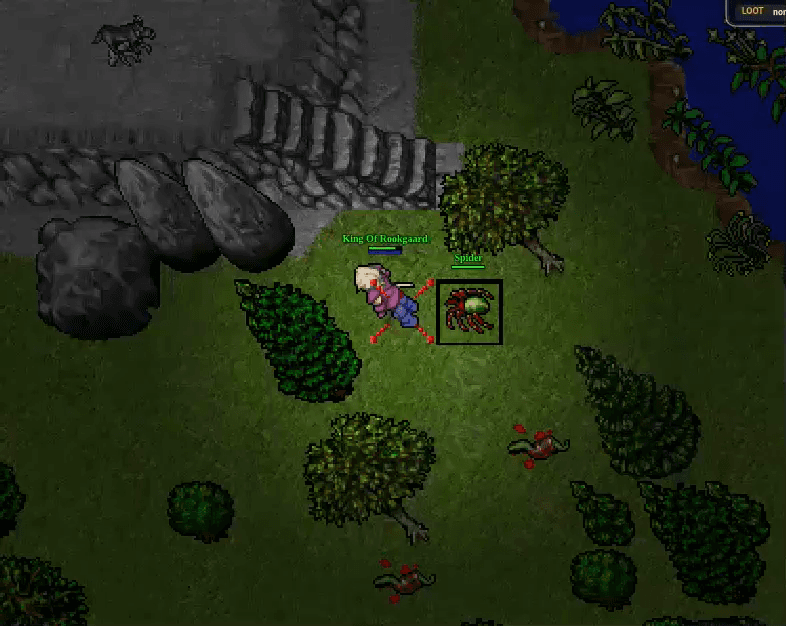
Control routes, safety settings, team workflows, and live diagnostics while gameplay decisions stay on your machine.
A source-backed Minibot visual accompanying the Android control surface.
Each group maps to current Minibot desktop or runtime code. This page lists shipped behavior instead of fleet metrics or success claims.
The account service handles access checks, device pairing, release access, and support outside the realtime loop.
Build repeatable paths and inspect exactly how a character moves through a hunt.
Choose what to fight, how to position, and which combat action wins each decision.
Operate multi-character parties from one desk without hiding each member's state.
Keep dangerous state visible and preserve operator control across characters and releases.
The desktop app runs the engine on your machine. The account service verifies your subscription, paired devices, and ARAMAC-verified downloads outside gameplay decisions.
Minibot is a local desktop application. Sign in, use the protected release area, and pair the machine that will run your realtime engine.
Downloads
Download grants expire and must never be shared.
Sign in or create an account. Then activate access, choose your platforms and download the app.
Downloads
Download grants expire and must never be shared.
Sign in or create an account. Then activate access, choose your platforms and download the app.
Release files are issued only to entitled, paired devices.
Download the app for your platform, install it, then link it to this account.
Download the ARAMAC-verified desktop app and pair one computer to your account.
Start the five-day Creator-level trial instantly, or arrange payment off-site and submit its reference. Paid access starts only after the operator verifies payment and chooses Grant access.
Download the ARAMAC-verified desktop app and pair one computer to your account.
Connect the desktop app to your Minibia client and keep healing, targeting, walking, combat, and Team Hunt decisions local.
Each group maps to current Minibot desktop or runtime code. This page lists shipped behavior instead of fleet metrics or success claims.
Protect health, mana, conditions, equipment, and the connection from one local control loop.
Choose what to fight, how to position, and which combat action wins each decision.
Build repeatable paths and inspect exactly how a character moves through a hunt.
Keep dangerous state visible and preserve operator control across characters and releases.
Track the hunt, route items, recover after death, and handle visible service actions.
The account service handles access checks, device pairing, release access, and support outside the realtime loop.
Keep dangerous state visible and preserve operator control across characters and releases.
Protector pauses, acknowledgement, and team-safe holds
Guarded live deploy and compact operator views
The desktop app runs the engine on your machine. The account service verifies your subscription, paired devices, and ARAMAC-verified downloads outside gameplay decisions.
Player includes the complete Player feature set on two devices. Creator adds advanced automation and the Creator script library on three devices.
All Player features, beta downloads, priority support, and two devices.
Everything in Player, plus Creator automation, the script library, and three devices.
Player: 2 devices. Creator: 3 devices
Player is USD 10/month for all Player features and two devices. Creator is USD 20/month for the Creator-only capabilities and three devices. Only one app process runs at a time, locally.